


Context
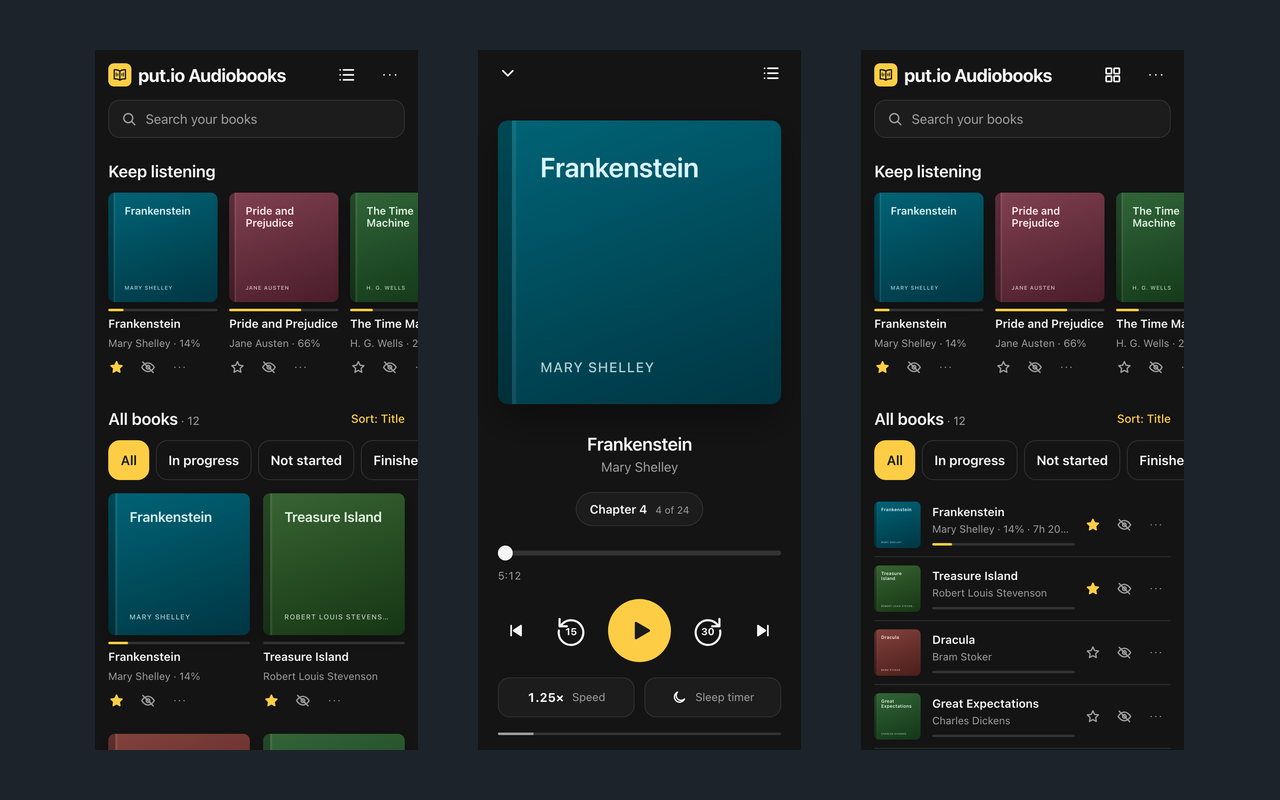
put.io Audiobooks is a side project built with Claude. I keep my audiobooks on put.io, and I wanted to listen to them the way an audiobook app plays them: by chapter, at my own speed, picking up where I stopped on whichever device is to hand.
Challenge
put.io stores files. It does not know what an audiobook is. One book might be a folder of MP3s, a set of CD1 and CD2 subfolders, a single M4B with chapter markers inside it, or several M4Bs that differ only by a number. Authors and covers are wherever the folder names and stray images put them. The app had to make sense of all of that, and keep your place in sync across devices, without a server of its own.
Approach
The app is static files: plain HTML, CSS and JavaScript with no build step, hosted on Vercel. It talks to put.io straight from the browser, so there is nothing in between to run or to trust.
A scanner walks the library folder and turns what it finds into books. Disc and part subfolders merge into their parent, numbered M4Bs become parts of one book, and authors come from Author/Book folders or Author - Title names. For M4B files it reads chapter markers and tags with small range requests, so it never downloads a whole book to learn its chapters. Books with no cover get one from Apple’s audiobooks or Open Library, or a generated cover if nothing turns up.
Positions, stars and hidden books are saved to put.io’s per-app config storage, which is what makes sync work with no backend. A service worker lets the app open offline, and a book can be downloaded into the browser’s storage to listen without a connection.
Outcome
The app is live at putio-audiobooks.vercel.app and installs to a phone’s home screen. It is unofficial and not affiliated with put.io. The code is MIT licensed and on GitHub, with instructions for hosting your own copy.